


Vita Solitaire for Seniors
4.910.04K Reviews
App Specs
- Version
- 1.47.1
- Updated On
- License
- Free
- Downloads
- 5,000,000+
- Developer
- Vita Studio.
- Categories
- Card
- Platform
- Android, iOS
Screenshots
 Analysis by AppCompare
If you've ever found yourself yearning for a little more brain exercise while lounging on your couch, then let me introduce you to Vita Solitaire for Seniors. It's not just any card game; it's a delightful blend of simplicity and challenge, perfectly crafted for those who want to keep their minds sharp without the fuss.
The first move is easy to settle into
For me, the appeal starts with a familiar action: opening a card game and looking for a move I can make without having to learn a complicated set of rules. This is a solitaire game from Vita Studio, and its straightforward premise suits a short break just as well as a longer stretch of play. The large-card approach matters most when I want to glance at the screen rather than lean in and inspect tiny details. It makes the first move feel approachable, though anyone who dislikes playing on a phone-sized screen may still prefer a physical deck or a larger tablet.
A useful way to begin is to play slowly instead of tapping the first available card. I scan the visible cards, make one deliberate move, and then check how the layout has changed. That small pause makes the game feel less like busywork and more like a modest planning exercise. It also helps avoid the familiar solitaire frustration of moving quickly and then having to retrace a sequence because I missed a better option.
That simplicity is the right fit for people who already enjoy card puzzles, want a low-pressure activity at home, or need something they can pick up and put down without organizing a group. It is less suitable if you want a story, action, multiplayer conversation, or a steady stream of new mechanics. Solitaire gives you a quiet puzzle, not a social event or a full-scale strategy game.
Your New Favorite Pastime
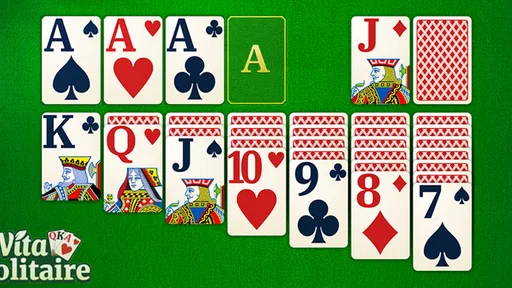
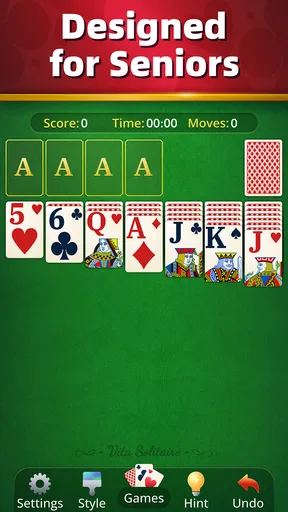
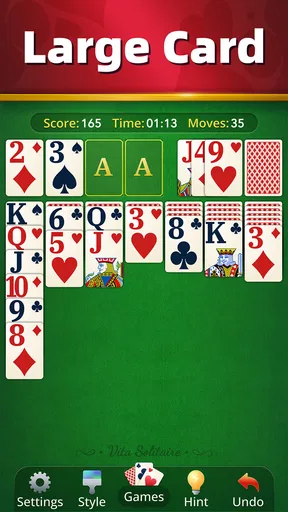
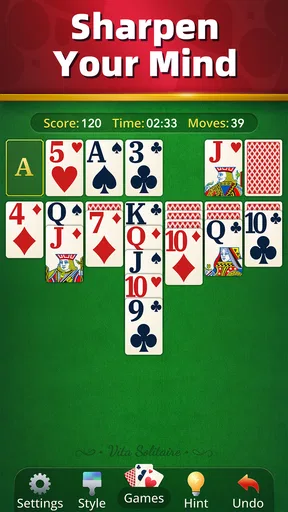
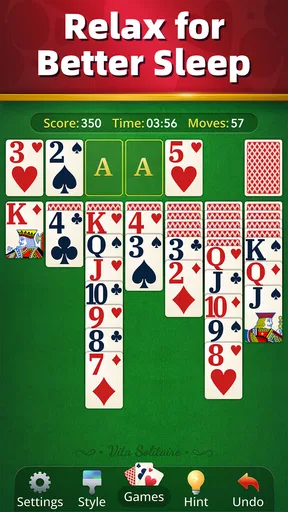
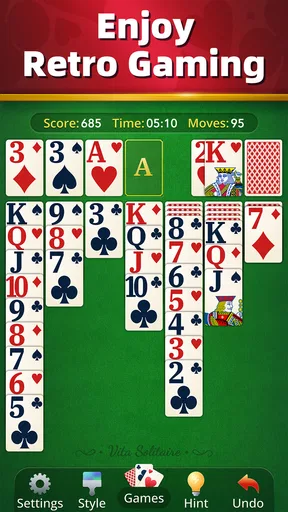
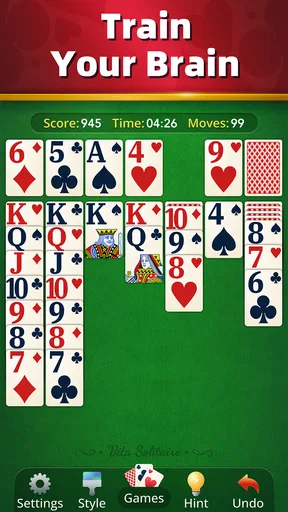
When I first launched Vita Solitaire for Seniors, I was greeted with a user-friendly interface that felt like a warm hug. No clutter, no confusion—just good old solitaire ready to play. The app is designed with larger cards and easy-to-read numbers, making it super accessible for seniors or anyone who prefers a more comfortable viewing experience.
What really caught my eye was the soothing color palette and relaxing background music. It sets the mood just right, making it easy to lose track of time as you dive into game after game. And let's be honest, who doesn’t love getting lost in a good card game?
The rhythm of a round
For everyday use, I like the way solitaire gives each move an immediate consequence: a card shifts, a space opens, or the board stays stubbornly unchanged. That steady feedback is part of the pleasure. I can tell whether my choice helped without needing a tutorial or a long explanation. The trade-off is that a quiet game can become repetitive if I expect every round to feel dramatically different; the fun comes from working through the layout, not from spectacle.
Worth Reading Before You Choose

Baby Panda World Brings Quick Play to Modern Phones, but Its Game Library Feels Busy

ESPN’s Live Game View Makes Following Close Games Easier

QuizzLand Review: A Good Fit for Short Trivia Breaks, Not Every Player

Basketball Stars: Multiplayer Is Fast, but Can It Recover When Matches Go Wrong?

WEBTOON Turns Phone Updates Into a Better Reading Routine

Link to Windows Runs on Shared Habits, Not Social Feeds
A realistic moment for it is a calm morning before the day gets busy. I can play a round with coffee, stop when I need to leave, and return to the game later rather than committing to a long session with other people. It also works as a small reset between household tasks. I would treat it as a pleasant way to pass time, not as a promise of measurable improvement in memory or concentration.
Features That Shine
Now, let’s talk features. The game offers several modes, including the classic Klondike and Spider, each with varying levels of difficulty. This means you can keep things light and breezy or challenge yourself as you get more comfortable with the game. Plus, there’s a handy undo button for those moments when your fingers move faster than your brain.
Another thing I appreciated was the daily challenges. They offer a nice little twist to your regular solitaire game, keeping things fresh and exciting. Trust me, there’s nothing quite like the satisfaction of completing a challenge before your morning coffee.
Small choices that make play smoother
The undo button is most useful when I use it as a learning aid rather than a way to erase every imperfect decision. If I reverse a move and try an alternative, I can see how changing one choice affects the board. Hints are better treated as a nudge when I have genuinely run out of ideas; leaning on them after every pause can take away the satisfaction of finding a route myself. These are simple habits, but they make the game feel more thoughtful and less like a race to clear cards.
Daily challenges can give a routine player a reason to open the app even when a standard round feels familiar. I’d use them as a small change of pace, not as an obligation to maintain a streak or complete something every day. People who prefer to play entirely on their own terms may enjoy ignoring the challenge and choosing a regular round instead. That flexibility is more useful than treating every prompt as homework.
What the rewards do—and do not—add
The sense of reward here is modest and personal: finishing a round, spotting a better sequence, or getting past a layout that initially looked awkward. A leaderboard can add a competitive reason to return, but it changes the mood. If comparing results motivates you, it gives a solo pastime a bit of outside context; if you find rankings stressful, the core card puzzle is still the part worth focusing on. I would not choose the game primarily for competition, since the most dependable enjoyment comes from the decisions in front of you.
Compared with a physical deck, the app is convenient when I’m away from a table and don’t want to shuffle or gather cards. Compared with other digital solitaire games, the appeal described here is its senior-friendly presentation and familiar card play, rather than a promise of deep customization or a radically different ruleset. Someone who wants one specific solitaire variant above all else should check that the available modes match their preference; a person looking for a simple, comfortable place to play may find the mix more appealing.
Why It Stands Out
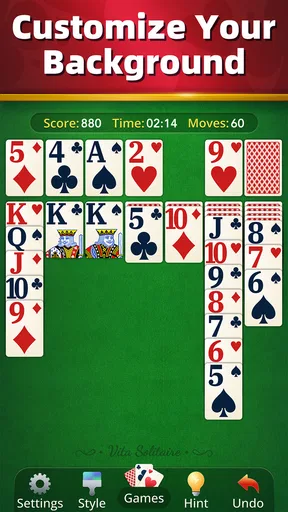
What makes this app stand out from the rest? It's the thoughtful details. The developers have clearly put a lot of love into making this app not only enjoyable but also accessible. There’s a helpful hint system if you ever get stuck, and you can customize your background and card designs to match your style.
And let’s not forget about the leaderboard feature. It’s a fun way to see how you stack up against players from around the world. Trust me, it adds a little competitive edge that keeps you coming back for more.
Practical expectations before you settle in
The game is free to start, with optional in-app purchases priced from $0.99 to $10.99 per item. I’d approach those as optional extras rather than a reason to install: first decide whether the basic play suits you, then consider whether any purchase would make a meaningful difference to your own routine. It is rated for Everyone, and its current version is 1.35.1, with Android 7.0 or later required. On the wider scale, it has a 4.9 average from around 309,000 ratings and more than 5 million installs, which suggests plenty of people have made it part of their casual-play habits.
If you’re deciding whether to try it, ask yourself what you want from a card game. If the answer is an easy-to-read solo puzzle that can fill a quiet pause, it makes sense to give it a go. If you want a game built around conversation, fast reactions, or a substantial campaign, I’d look elsewhere. That distinction matters more than any single extra feature.
Why the next session begins
The loop is simple: I make a move, see the board respond, enjoy the small payoff when a sequence works, and then decide whether I want another round. The reset is part of the appeal; a new layout gives me another self-contained problem without asking me to remember a story or manage a long-term plan. But that same reset can make sessions blur together, so I’d set a natural stopping point—one round, or a short break—if I’m only opening it to fill a few minutes.
Wrapping It Up
In a sea of apps that promise entertainment, Vita Solitaire for Seniors delivers on its promise. It’s a perfect blend of challenge and relaxation, wrapped up in a package that’s easy to navigate and a joy to play. Whether you’re a solitaire veteran or new to the game, this app offers something for everyone.
So, if you’re looking to add a little more fun to your day, give it a try. You might just find yourself hooked on this charming card game. Download it today and see for yourself why it’s become my go-to app for a delightful gaming experience.
Pros
- Large
- easy-to-read cards.
- Simple interface for seniors.
- Relaxing background music.
- No time limits
- stress-free.
- Helpful hints and undo feature.
Cons
- Limited customization options.
- Ads can be disruptive.
- Requires internet for some features.
- No multiplayer mode.
- Limited card deck themes.
FAQs for Vita Solitaire for Seniors
What makes Vita Solitaire for Seniors different from other solitaire games?
Vita Solitaire for Seniors is tailored specifically for older adults, featuring larger cards and easy-to-read text to enhance visibility. It includes simplified controls and intuitive gameplay, ensuring that seniors can enjoy the classic game without any frustration. Additionally, it offers calming music and themes to create a relaxing gaming experience.
Is Vita Solitaire for Seniors available on both Android and iOS devices?
Yes, Vita Solitaire for Seniors is available for download on both Android and iOS platforms. You can find it in the Google Play Store for Android devices and the Apple App Store for iOS devices. This ensures that users can enjoy the game regardless of their preferred mobile operating system.
Does Vita Solitaire for Seniors require an internet connection to play?
No, Vita Solitaire for Seniors can be played offline, allowing users to enjoy the game without needing an internet connection. This is particularly beneficial for seniors who may not always have access to Wi-Fi or prefer to play during travel. However, updates and some features might require internet access.
Are there any in-app purchases or ads in Vita Solitaire for Seniors?
Vita Solitaire for Seniors offers a free version with ads, but users have the option to purchase an ad-free experience. While the game is fully playable without spending money, the in-app purchase enhances the experience by removing ads and providing access to additional themes and features.
What kind of support is available for users of Vita Solitaire for Seniors?
Vita Solitaire for Seniors offers comprehensive customer support, including a detailed help section within the app and email support for more specific inquiries. The developers are committed to ensuring a smooth experience and regularly update the app to fix bugs and improve functionality, based on user feedback.


